Learn More
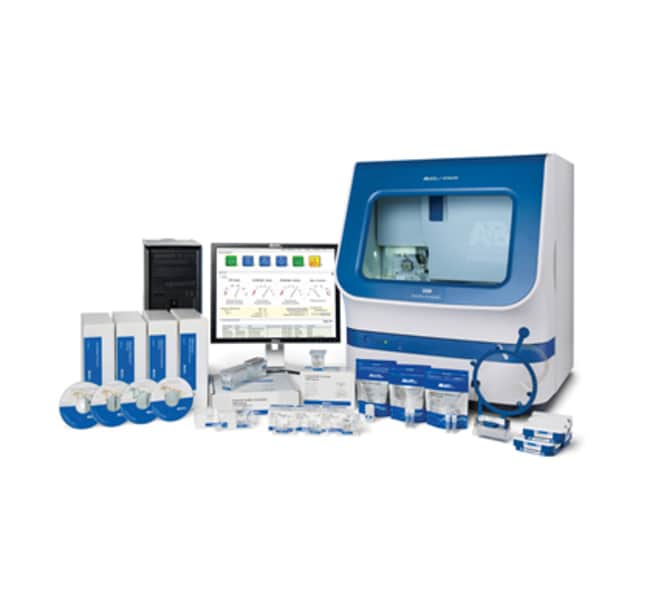
Applied Biosystems™ 3500 Genetic Analyzer for Resequencing & Fragment Analysis


Specifications
Specifications
| Weight | 82 kg (approximately) |
| Software Type | Data Collection Software, Fragment Analysis |
| Starting Material | DNA |
| Quantity | 1 system |
| Electrical Requirements | 100 V to 240 V, 50/60 HZ, 15 A |
| External Computer | Hard Drive: 2x 500GB SATA 3.0 Gb/s and 8 MB Data Burst Cache, Memory: 16 GB (2x 8GB) 1600 MHz DDR3 Non-ECC. 4th Gen Intel Core I7 Processor- 3.1 GHz Turbo Processor, Operating System: Windows 7 SP1 |
| Format | 96-well Plate, 8-tube Strip |
| For Use With (Equipment) | 3500 Genetic Analyzer Capillary Array (50 cm), POP-6™ Polymer for 3500⁄3500xL Genetic Analyzers, POP-4™ Polymer for 3500⁄3500xL Genetic Analyzers, 3500 Genetic Analyzer Capillary Array (36 cm), POP-7™ Polymer for 3500⁄3500xL Genetic Analyzers |
| Height (English) Exterior | 28.34 in. |
| Height (Metric) Exterior | 72 cm |
| Show More |
Frequently Asked Questions (FAQs)
Beginning with 3500 Data Collection Software version 3, the 3500 Data Collection Software does not support automatic secondary analysis. This is also indicated in the software release notes. To perform secondary data analysis, you will need to manually import the .fsa file into the GeneMapper software. For optimal performance, we recommend that you install the GeneMapper Software on a stand-alone computer that is not part of the 3500 Genetic Analyzer system.
Yes, it is compatible with all versions of 3500/3500xL Genetic Analyzers as well as the 3500/3500xL Dx Genetic Analyzers, specifically in RUO mode.
Both the SeqStudio Genetic Analyzer and the Applied Biosystems 3500 Genetic Analyzer have run modules specific for the SNaPshot application.
- For the 3500 Genetic Analyzer, the run module is "SNaPshot50_POP7" and it has a ~30 minute run time.
- For the SeqStudio Genetic Analyzer, the run module is "SNaPshot", the optimal size range is 40-120 bp, and it runs for ~25 minutes but the 35 bp fragment will be collected.
If you are using the most recent version of Data Collection Software (v3.3), there is a way to automatically upload your data into the Thermo Fisher Cloud app from the instrument. When a run is complete, the data is stored in the results group folder that is specified in the plate record. The data will be automatically uploaded to your account if your User ID is the active ID. Results are saved in your account folders named by the plate and injections, not in the results group folder. Please go to page 43 of the 3500/3500xL Genetic Analyzer User Guide for Data Collection Software v3.3 (https://assets.thermofisher.com/TFS-Assets/LSG/manuals/100079380_3500v3_3RUO_UG.pdf) for details regarding the Thermo Fisher Cloud app.
If you are using Data Collection Software v3.1, you would have to manually upload your data into the Thermo Fisher Cloud app from your data folder on the computer.
Safety and Handling
For Research Use Only. Not for use in diagnostic procedures.
By clicking Submit, you acknowledge that you may be contacted by Fisher Scientific in regards to the feedback you have provided in this form. We will not share your information for any other purposes. All contact information provided shall also be maintained in accordance with our Privacy Policy.