Using the eMolecules Chemical Search Platform
eMolecules is an account specific punchout that has more chemical offerings for your unique needs. eMolecules allows you to draw the chemical structure you need and to search the product that way.
Access the Tool
- Direct link: eMolecules Chemical Search Platform
- From the Fisher Scientific website:
- Go to https://www.fishersci.com/
- Select Tools from the upper-left navigation menu.
- Under Chemical Structure Tools, select eMolecules Chemical Search Platform.
How to Use the Tool
1. Open the Navigation bar and select eMolecules.
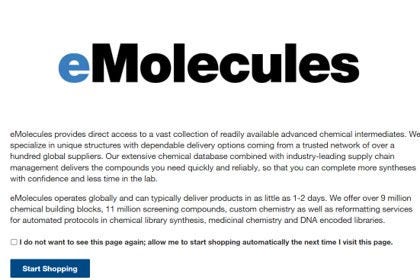
2. The first time you navigate to this page you will see details on eMolecules and have the option to opt out from seeing this page again. You can select Start Shopping.
3. You can then use the tools on the left arm to draw your molecule and measure by substructure, exact structure or similar structure.
4. You will be displayed with product options to your search and add the item to your cart by quantity and unit of measure.
5. Navigate to the shopping cart and select Buy these compounds. You will then add the items and punch back out to fishersci.com.
6. Your eMolecule products will show differently in your shopping cart. However, you will proceed through checkout like normal from this step
More Related Help Topics
Searching for Products
Getting Key Documents
Custom Search Tools
Still can’t find an answer?
Help is on the way! Click an option below to chat with support